How to stop phone addiction: a 30-day plan
Published 18 October 2026 - last updated 18 October 2026
To break a phone addiction, stop relying on willpower and change the phone itself: turn off non-essential notifications, keep it out of the bedroom, make your time-wasting apps harder to reach, then set a daily limit and lock it with a tool you cannot cancel in a weak moment. Here is a four-week plan.
Guides / Phone addiction and focus
You pick up your phone to answer one message, and an hour later you are deep in a video you cannot remember choosing. You scroll in bed until late, wake up tired, and promise yourself tomorrow will be different. If that sounds familiar, you are not weak. These apps were built to hold your attention. The fix is to change the rules of the game, not to blame yourself.
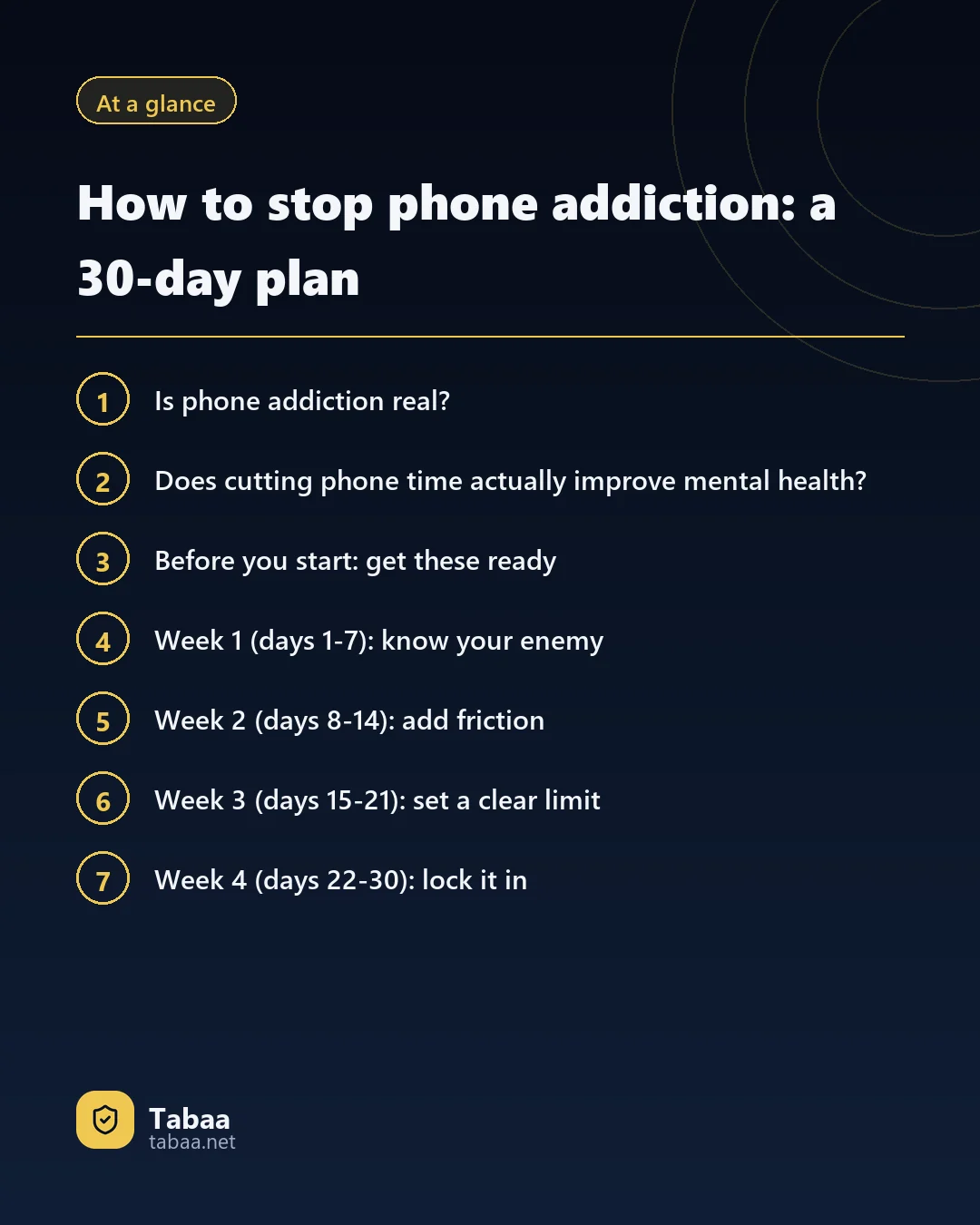
Is phone addiction real?
"Phone addiction" is a common description, not a medical diagnosis in its own right. Researchers prefer the term "problematic smartphone use": use you find hard to control and that harms your life.
The closest condition the World Health Organization recognises is gaming disorder. The WHO describes it through three features: impaired control over gaming, giving gaming increasing priority over other activities, and carrying on or escalating despite negative consequences. The pattern would normally have been present for at least 12 months, with significant impairment in personal, family or educational life.
Those three features are a useful mirror even if you never play games. Do you lose control? Does the phone take the place of more important things? Do you keep going despite the harm? If the answer is yes, this plan is for you.
Does cutting phone time actually improve mental health?
Yes, and there are controlled trials behind that, not just opinions.
- University for Continuing Education Krems, Austria (2025): 111 university students averaging 276 minutes of screen time a day took part. Half were asked to cut their smartphone screen time to two hours a day or less for three weeks, and they reduced it by about 155 minutes a day. According to the study, published in BMC Medicine, their depressive symptoms, stress, sleep quality and well-being all improved compared with the control group.
- McGill University, Canada (2022): participants picked from ten simple strategies, such as disabling notifications and switching the screen to greyscale. In the first study, daily use fell from 4.67 hours to 3.40 hours within two weeks. In the second, screen time dropped by 57 minutes a day, against only 11 minutes for people who simply monitored their use, and sleep quality improved.
The Austrian trial also carries a warning. Once the three weeks ended, screen time rose again quickly, and from week seven onwards there was no difference between the groups. Motivation is not enough. Unless you lock the change in, the old habit returns.
Before you start: get these ready
- A cheap ordinary alarm clock, so the phone does not have to sleep next to you.
- A note where you write down your screen time every day.
- A list of three things you enjoy doing instead: walking, reading, seeing people, sport, learning a skill.
- Someone close who knows your plan: a friend, a sibling, your spouse. Saying it out loud to someone you respect makes you more likely to stick to it.
Week 1 (days 1-7): know your enemy
Do not try to change everything on day one. Start by measuring and noticing.
- Open your phone's usage statistics. On many Android phones they live in Settings under "Digital Wellbeing" or a similar name; the exact place varies by brand and Android version. Note your daily screen time, how many times you unlock, and your three most-used apps.
- Find your weak moments. When do you reach for the phone without thinking? On waking? On the bus? Before sleep? When bored at work?
- Turn off non-essential notifications. Keep calls and messages from the people who matter. Muting busy family and public chat groups alone removes dozens of interruptions a day. In the McGill trial, turning off notifications was the strategy people stuck to most.
Week 2 (days 8-14): add friction
The idea is simple: every extra second between you and the app is a chance to change your mind.
- Clean up your home screen. Move social and video apps into a folder on the last page, or delete them and use them on a computer.
- Unlock with a passcode instead of your fingerprint or face. Typing a code adds a moment of thought before every mindless unlock.
- Get the phone out of the bedroom. Leave it on silent in another room and wake up with the alarm clock. For many people this alone ends the late-night scrolling.
- Try greyscale. Colour is part of what makes apps attractive. But be realistic: in the McGill trial it was one of the least followed strategies (only 38% in the first study), so do not build your plan around it.
- Keep the phone away while you work or study. Out of sight and out of reach, not face down next to you.
Week 3 (days 15-21): set a clear limit
Now it is time for a number.
- Set a daily cap. Two hours a day is the target the Austrian researchers tested. If you use six hours today, start at four and step down.
- Set phone-free times. Fix them and keep them: family meals, the first hour after waking, the last hour before bed. Many Muslims use the five daily prayers as natural stopping points: the phone goes down before the prayer and is not picked up straight after.
- Work in focused sessions. 45 minutes of work or study with no phone, then a short break.
- Fill the gap. The time you win back needs something from your list, or the phone will reclaim it.
Week 4 (days 22-30): lock it in
This is the week most people fail, because the excitement fades. So you need rules that do not depend on your mood.
- Turn decisions into rules. Instead of deciding every night whether to open TikTok, make the decision once, in advance, and stop negotiating with yourself.
- Pick one app to remove for good. The one that takes more from you than it gives.
- Review your numbers on day 30. Compare screen time and unlocks with week one, and write down what worked and what did not.
- Plan for a slip. One bad day does not cancel thirty good ones. Go back to the rules the next day without punishing yourself.
The strategies at a glance
| Strategy | Why it works | Effort |
|---|---|---|
| Turn off notifications | Cuts the interruptions that pull you back in | Easy |
| Phone out of the bedroom | Protects your sleep from late scrolling | Medium |
| Passcode instead of biometrics | Adds a pause before every unlock | Easy |
| Hide or delete apps | Keeps the temptation out of sight | Medium |
| Daily cap and fixed times | Turns an intention into a number you can measure | Medium |
| Lock the rules with a tool | Stops you backing out in a weak moment | Easy once set up |
What if you know yourself, and know you will give in?
This is where most plans break. The phone's built-in time limits can be dismissed with one "ignore limit" tap, and any blocking app can be deleted in a minute. At 2 a.m., you will tap it.
Tabaa Adults is built for exactly that moment, and it is yours alone: no supervisor, and nobody else sees your reports.
- Study mode: a session in which only the apps you choose will open.
- Sleep mode: a fixed daily window when the apps that steal your sleep stop.
- Strict focus: a full-screen countdown, calls rejected, and it carries on after a reboot.
- Mandatory rules: block any app or site and make the rule mandatory for a term you choose, or for ever, so it cannot be lifted early.
- Reports only you see: screen time, opens and blocked attempts, so your week-one and week-four numbers are there without effort.
Most importantly, it runs with Device Owner rights, so it cannot be stopped or deleted from inside the phone, and it keeps working after a reboot and without internet. The decision you make on a clear-headed day still stands on a weak night.
If your problem is the computer, Tabaa Desktop sets per-program daily limits, a daily screen-time cap and a bedtime on Windows.
What if the one addicted is your child?
Children do not yet have full self-control, so do not ask them to resist, alone, apps that whole teams designed to capture attention. Talk first and explain why, then set daily limits per app and sleep and study windows with Tabaa Children, and go through the reports calmly together each week.
When should you see a professional?
Ask a psychiatrist or psychologist for help if:
- Repeated attempts keep failing despite tools and rules.
- Your studies, work or relationships are clearly suffering.
- Your phone use comes with severe anxiety, persistent low mood or long-running insomnia.
Getting professional help is not a failure; it is the sensible step when the situation calls for it.
Start today, not next month
Do not wait for Monday or the first of the month. Open your usage statistics now, write down today's number, and turn off one notification. Thirty days from now you will look at that number and see how much of your time, and your life, you have taken back.
Sources
- Pieh et al.: Smartphone screen time reduction improves mental health: a randomized controlled trial, BMC Medicine, 2025
- Olson et al.: A nudge-based intervention to reduce problematic smartphone use: randomised controlled trial, International Journal of Mental Health and Addiction, 2022
- World Health Organization: frequently asked questions on gaming disorder
Read next
Common questions
- Is phone addiction a recognised mental disorder?
- Not as a diagnosis of its own. Researchers usually call it problematic smartphone use. The closest condition the WHO recognises is gaming disorder, which involves impaired control and carrying on despite harm, normally for at least 12 months. If your phone is seriously affecting your studies, work or sleep, talk to a professional.
- How many hours of phone use a day is normal?
- There is no single number; what matters is the effect on your life. But in a 2025 trial, university students who cut their screen time to two hours a day or less for three weeks improved in mood and sleep compared with those who did not. Two hours is a practical first target.
- Should I delete social media completely?
- Not necessarily. For many people it is enough to move the apps off the home screen, use them on a computer instead, or keep them to a set time of day. Delete for good only the app that defeats every attempt to manage it.
- Why do I slip back after a few good days?
- Because the motivation changed, not the habit. In the 2025 trial, screen time climbed back quickly once the study ended, and the difference between the groups disappeared within weeks. That is why this plan focuses on changing your environment and locking in rules, not on enthusiasm.